.svg)



It often starts with a small question.
“Do you have the password?”
Maybe it’s a new phone, a locked account, or a family member trying to locate photos. In that moment, something simple suddenly feels complicated—not because the information is lost, but because it was never gathered in one place.
Today, so much of life lives online—photos, messages, accounts, subscriptions, even pieces of your story. Preparing your digital legacy plan simply means deciding what should be preserved, what should be shared, and how someone you trust can help when needed.
 It’s not about technology. It’s about making things easier for the people you care about—and ensuring your story is handled the way you want.
Across Presbyterian Senior Living communities, residents and team members often work together to make digital organization more approachable and practical.
What is a Digital Legacy?
Similar to analog legacy planning, a digital legacy includes all your online accounts, photos, documents, and subscriptions, along with clear instructions for how they should be accessed, managed, or shared. Creating a simple plan helps loved ones avoid confusion and ensures your wishes are followed.
Across many senior living communities, these questions come up often—and residents don’t have to figure them out alone. At Cathedral Village, Philadelphia, PA, resident-led groups, and one-on-one support help make everyday technology more approachable, whether it’s organizing photos, managing passwords, or understanding how accounts work together.
Why a Digital Legacy Matters
Taking the time to organize your digital life is a quiet but meaningful gift.
It helps loved ones avoid frustration and uncertainty. It protects your privacy. And perhaps most importantly, it ensures that the memories you’ve created—photos, messages, personal history—don’t disappear or become difficult to access.

The good news? You don’t need to be especially tech-savvy to get started. You just need a simple plan.
In many communities, residents are already building confidence with technology together. At Quincy Village, Waynesboro, PA, individuals gather twice a month for informal Tech Time sessions led by a fellow resident, offering practical help with phones, tablets, and everyday questions. This peer-to-peer approach creates a comfortable space to ask questions and learn at any pace.
How to Complete Your Digital Legacy Plan in 5 Steps
Think of digital legacy planning for seniors in three parts:
- Inventory what you have
- Access how someone could reach it
- Instructions for what you want done
You don’t have to complete everything at once. Even spending an hour getting started puts you on the right path.
Step 1: Take Inventory of Your Digital Life
Start by listing the accounts and devices you use most often. You don’t need to remember everything—just begin with what comes to mind.
Focus on categories like:
- Email accounts (current and older ones)
- Phone or computer login information
- Photo storage (phone, cloud services, external drives)
- Social media accounts
- Subscriptions and shopping accounts
- Financial or insurance portals
To make it manageable, set a 15-minute timer and write down what you remember. You can always add more later.
If getting started feels overwhelming, you’re not alone. Many communities host small group sessions where residents bring their devices and work through common tasks together—like identifying accounts or locating stored photos.
At Green Ridge Village, Newville, PA, for example, a monthly Tech Committee brings together 20–25 residents to learn and ask questions in a supportive group setting. Community members have the opportunity to learn on specific, scheduled topics or bring their own questions on digital issues to each session.
Step 2: Choose a Trusted Helper
Next, think about someone you trust who could help if needed—a spouse, adult child, or close friend.

This person doesn’t need full access right now. What matters is that they:
- Know you’ve created a plan
- Know where to find it
- Understand their role in helping carry out your wishes
This isn’t about sharing private details today. It’s about preventing unnecessary stress later.
In many senior living communities, support goes beyond family. Resident-led technology clubs and committees—like those at Cathedral Village, Quincy Village and Green Ridge Village, and several other PSL communities—offer opportunities to ask questions, share knowledge, and build confidence over time. Thanks to this resident-to-resident interaction, everyone builds a trust and comfort level that helps promote digital comfort and security.
Step 3: Keep Passwords in One Secure Place
One of the biggest challenges for loved ones is simply gaining access to accounts when needed.
Rather than keeping passwords scattered in notebooks or relying on memory, choose one reliable system:
- A written password notebook stored in a safe location
- A password manager that securely stores login information
Start small. Focus on your top 10 most important accounts, such as email, your phone login, photo storage, and essential services.
Whatever method you choose, avoid sharing passwords by email or text. Instead, make sure your trusted helper knows where your information is stored.
Many communities also offer educational sessions on digital safety. At Cathedral Village, the Tech Committee also sponsors speakers on different digital topics. For example, they recently hosted an outside IT consultant to talk about “How to Avoid – and Recover From – Scams and Data Breaches.” These presentations help community residents feel more confident in how and where to store important digital information.
Step 4: Decide What Happens to What Matters Most
Your digital legacy isn’t just about access—it’s also about intention, including how your online accounts are handled after death.
Think about what matters most and how you’d like it handled:
- Photos and memories – Decide where meaningful photos should live and who should receive them.
- Social media accounts – Consider whether accounts should be memorialized, removed, or left unchanged.
- Email and documents – Identify important messages or files that should be saved or shared.
Technology programs in many communities go beyond troubleshooting. Residents often use these sessions to organize digital photo collections, share family memories, and create simple systems for passing along important files—turning technology into a tool for preserving personal history
Step 5: Write a Simple Digital Legacy Letter
Bring everything together with one clear, easy-to-read document.
Your digital legacy letter might include:
- Where your account list or inventory is stored
- Who your trusted helper is (and a backup person)
- Your wishes for accounts, photos, and files
- Any subscriptions or services that should be canceled
Keep it simple. Plain language is best.
Once it’s complete, store it somewhere secure and let your trusted helper know how to access it. Then revisit it once a year or when something changes.
Start Your Digital Legacy Plan Today
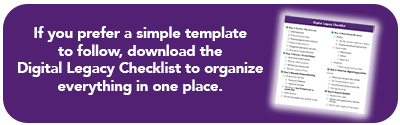
Download the Digital Legacy Checklist to organize your accounts, passwords and wishes in one secure place. Take the first step with confidence!
Supported Every Step of the Way
You don’t have to navigate this process alone.
As already noted, many senior living communities, including most PSL Life Plan communities, offer technology and digital support. This can range from resident volunteers who host monthly technology clubs to visiting technology specialists who provide one-on-one assistance for questions or setup. Whether it’s learning how to organize accounts or simply understanding where to begin, help is often close at hand.
Start the Conversation
Sometimes the hardest part is simply getting started.
You might begin by asking yourself questions like:
- What digital information would someone need if you couldn’t access your phone?
- Which photos or files matter most to keep?
- Are there accounts you would prefer to have closed?
- Who feels like the right person to help manage this?
These answers don’t have to be formal. They’re simply another way of making life easier for the people you care about.
A Thoughtful Step Forward
That small moment— “Do you have the password?”—doesn’t have to be stressful.
With a little preparation, it becomes an opportunity to bring clarity, organization, and peace of mind.
Planning your digital legacy is one of the simplest ways to care for your loved ones—and ensure your story is preserved in the way you intend.
